
I Turned My Gaming PC Into an AI Server
Wiping Windows off an RTX 4090 box and working out what actually fits in 24 GB of VRAM.
I bought this computer in 2022 for gaming. It has been sitting mostly idle ever since. An RTX 4090 under my desk, switched on a few times a year to do nothing demanding.
Meanwhile everything around me turned into AI, and I kept using it the way most people do: through somebody else's API. That is fine until you want to know why a thing is slow. I wanted to understand the part underneath: how a model actually gets served, what a GPU runs out of first, what any of the numbers mean. An API key gives you answers. It does not teach you what is behind them.
The card was already here. So I wiped the drive and put Ubuntu on it.
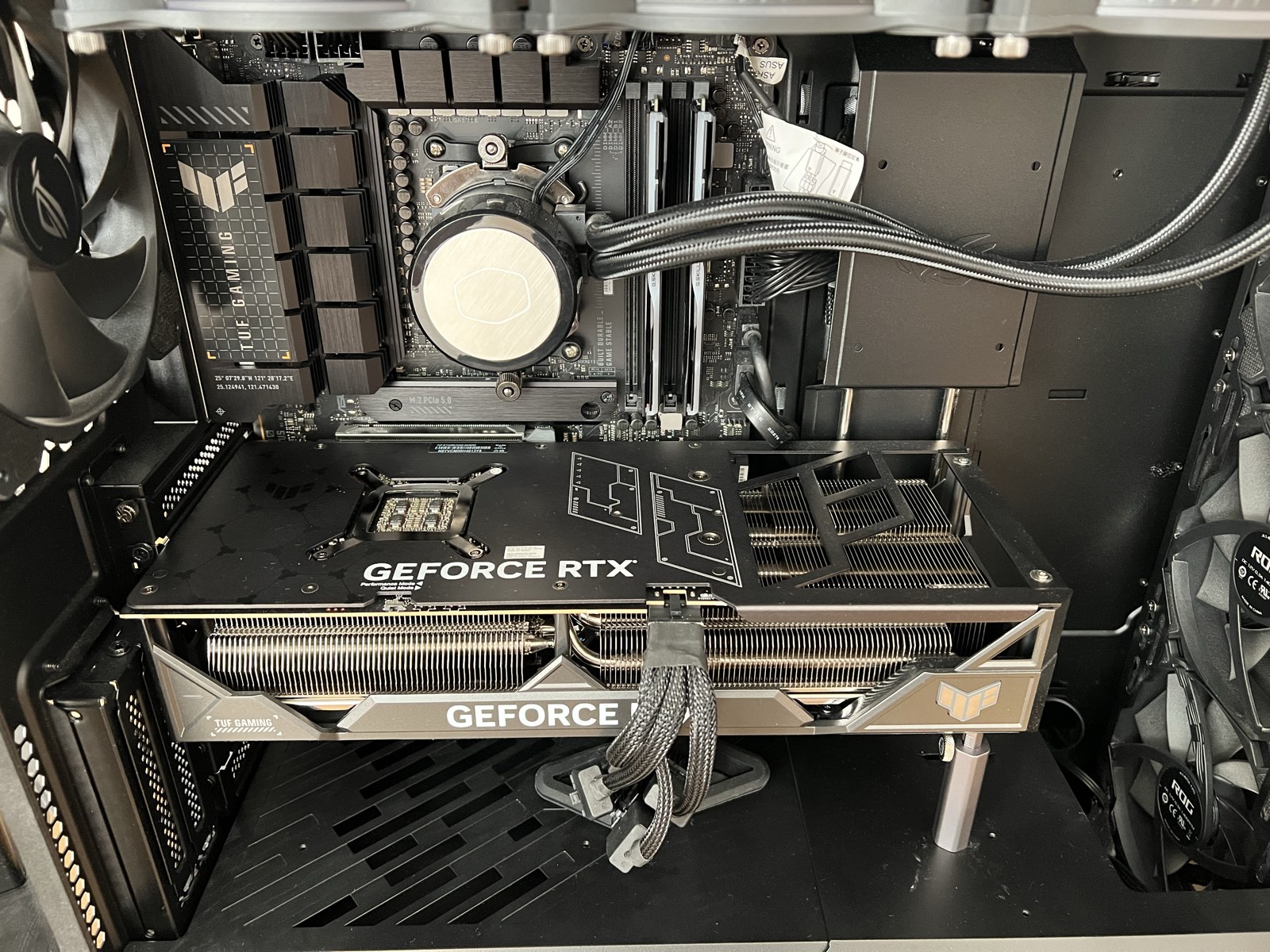
What is in the box
An RTX 4090 with 24 GB of VRAM, on an ASUS TUF Gaming X670E-PLUS with a Ryzen 9 7950X. 32 GB of DDR5, of which about 30.7 GB is actually visible once firmware takes its share. Two NVMe drives: the smaller one for the operating system, a 2 TB one mounted at /data for model weights. Weights are large and I do not want them competing with the OS for space.
One GPU is the ceiling
Something I only worked out properly after I started planning: this is a consumer desktop, and a consumer desktop is built for exactly one fast graphics card.
The CPU has 28 PCIe lanes. Sixteen go to the first slot, which is where the 4090 sits. Eight go to the two NVMe drives. The last four run the link to the chipset, and everything else in the machine shares that.
So the second full length slot does not come from the CPU at all. It hangs off the chipset at four lanes. Putting a second 4090 or a 5090 in there gives it a quarter of the bandwidth the first card gets, shared with storage and USB. The 4090 also has no NVLink, so any traffic between two cards has to cross that link anyway.
Then there is the blunt physical problem. A 4090 is over three slots thick. It covers the second slot.
None of this matters yet, because one model on one card is the whole exercise for now. But it does mean there is no upgrade path inside this box. When I outgrow one GPU, the answer is not a second card. It is a second machine, or a platform with a real lane count. That is a problem for later, and I would rather know it now than find out on the day I need it.
The number that decides everything: 24 GB
VRAM is the GPU's own memory, separate from the system RAM on the motherboard. It is the real budget.
To serve a language model at speed, the weights have to live in VRAM. Not on disk, not in system RAM. If they do not fit, the card cannot serve the model properly, and no amount of system RAM saves you.
Three things compete for those 24 GB:
- The weights. Fixed the moment you choose a model.
- Activations. The working memory of a forward pass.
- The KV cache. Everything else.
The third one is the interesting one, and it is the part I did not appreciate before. When a model generates text, it keeps intermediate results for every token it has already seen, so it does not recompute them on every new word. That store is the KV cache. It grows with the length of each conversation and with the number of conversations happening at once.
So the VRAM left over after the weights is not slack. It is directly how many people the box can serve, and how long their conversations can be.
Picking a first model
The arithmetic is simple enough to do before downloading anything. Weights cost roughly parameters × bytes per parameter, and at 16-bit that is 2 bytes each:
- A 7-billion-parameter model: about 14 GB.
- A 14-billion-parameter model: about 28 GB.
The 14B does not fit. Not "fits tightly". It does not fit at all, before a single request arrives.
The obvious objection is quantization. Store the weights at 4 bits instead of 16 and a 14B drops to something like 7 GB, which fits easily. That is real, and I will get there.
But I cannot price that trade yet. Quantization buys size and speed and pays for it in accuracy. I have no way to know the exchange rate until I have measured the same model at 16-bit first. A number with nothing to compare it against is not a measurement.
The 7B leaves roughly 10 GB. A bit less in practice, because the number in a model's name is rounded down. A "7B" is usually nearer 7.6B, which is a bit over a gigabyte more than the label suggests. Take out activations, workspace, and the memory the desktop quietly holds, and there is still a real amount left for the KV cache.
That is the whole point. The right first model is not the biggest one that technically loads. It is the biggest one that leaves room to actually serve requests.
So I am starting at 7B, at 16-bit. Later I will quantize the same model, run the same tests, and the gap between them is the answer.
I can estimate what that leftover VRAM buys me on paper. I would rather measure it. That is what the rest of this is going to be.